


A guide for theatre companies distributing production images to reviewers, arts journalists, and media outlets.
A media kit is a package of materials you prepare for journalists, reviewers, and media outlets before or during your production’s season. It typically contains production photographs, key information about the show, and details about the company. This saves you from making special content each time you respond to an individual requests from an outlet; you prepare one well-organised kit and make it available to anyone who needs it.
Why does a good media kit matter?
Reviewers and arts journalists work quickly, and that’s good for you – you want the story about your production to get out there as fast as possible, to help you sell as many seats as possible. When your images arrive well-organised, correctly labelled, and with everything they need to publish, you make their job easier and your production looks professional.
You don’t want to make things difficult for outlets. Undersized images might not get used. Files named IMG_1138.jpg don’t help to identify the performers or the photographer. If the reviewer has to email you back and forth to identify performers, that eats into everyone’s time.
A good media kit also protects the people who made the work. Your performers, your photographer, your production team all deserve to be credited properly. Getting this right is professional and puts your best foot forward.
Choosing your shots
A good target to aim for is including 6 to 10 images; this gives the reviewer/editor real choice without overwhelming them. A curated, prioritised selection signals that you are helping them with their job and minimising their effort.
Number your images in order of preference, with your strongest or most representative image as number one. This gives a busy reviewer clear direction, and means your preferred shot is the one most likely to be used.
Aim for variety across the selection
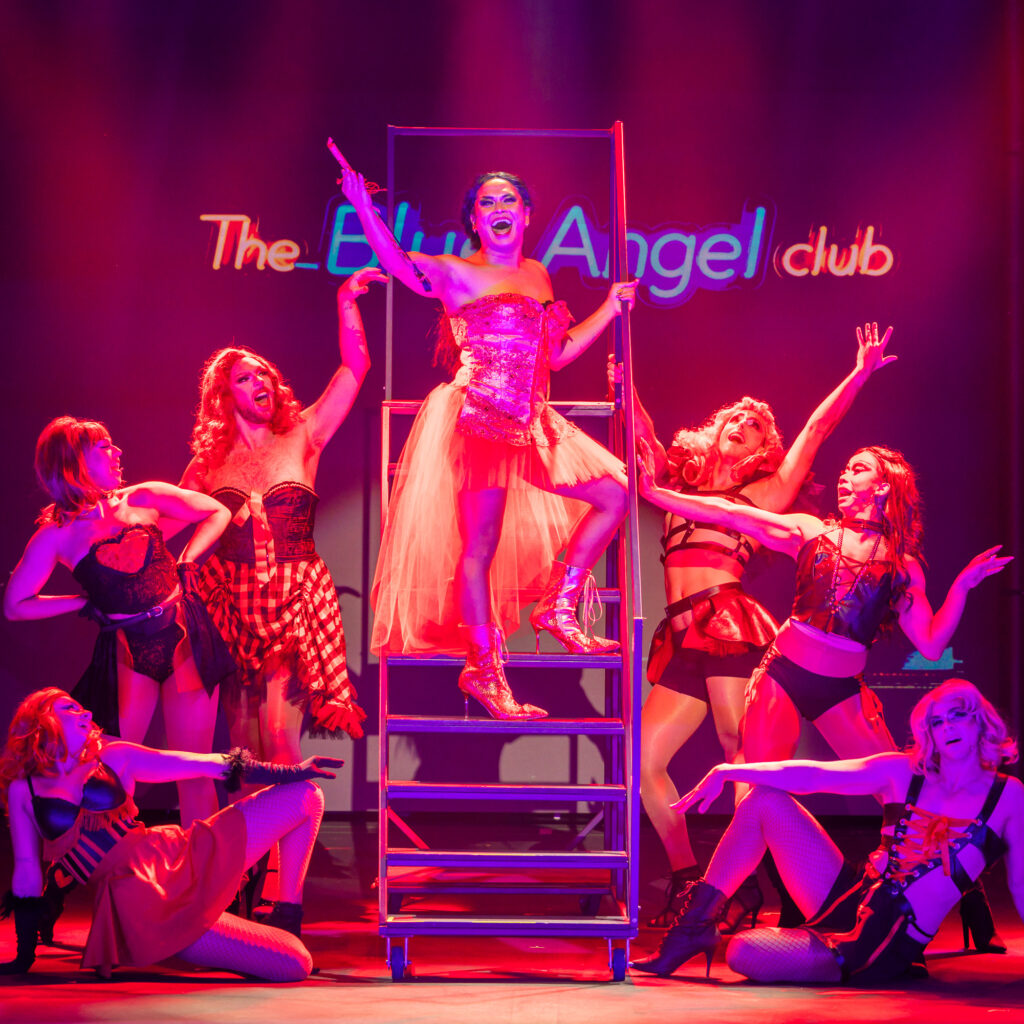
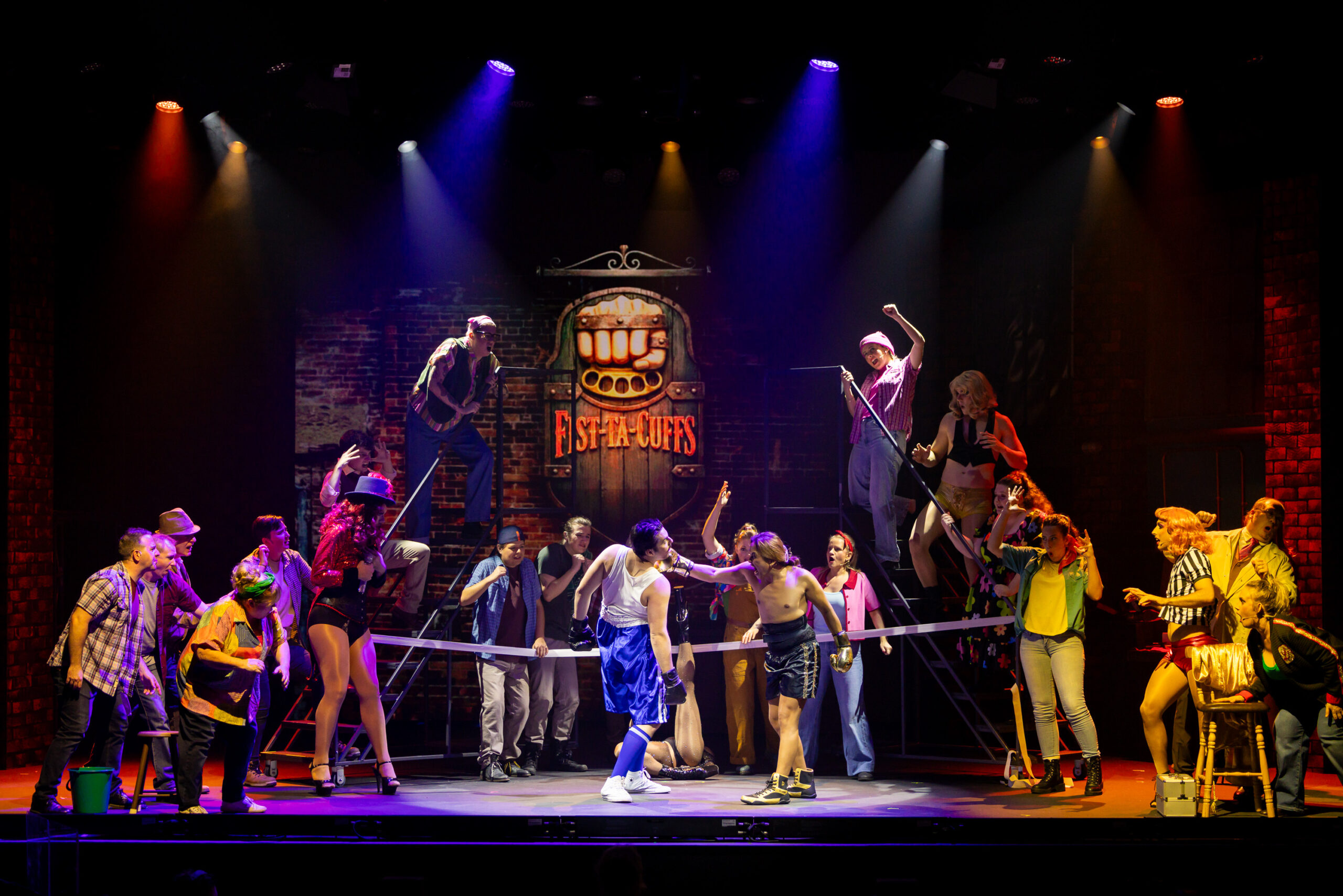
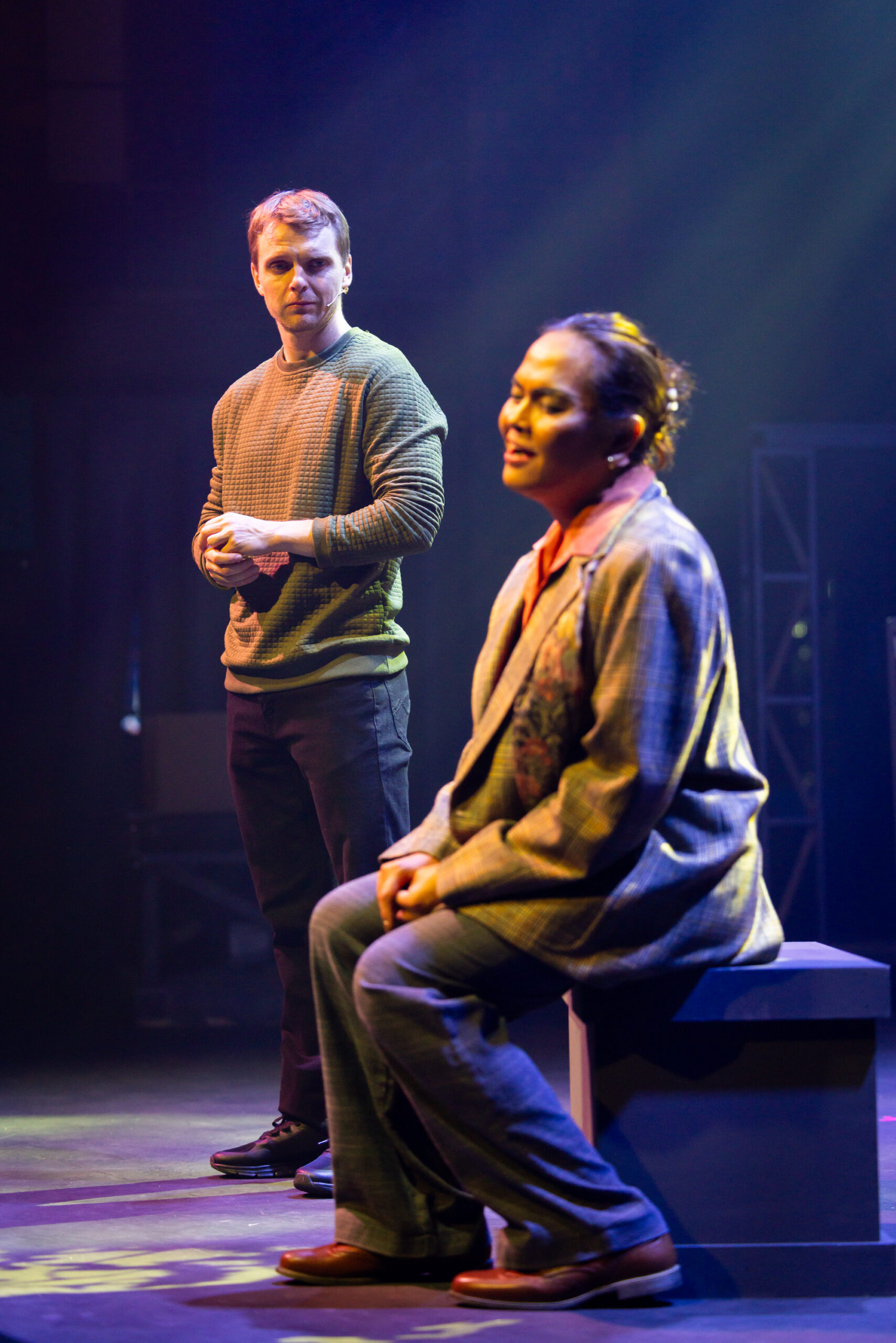
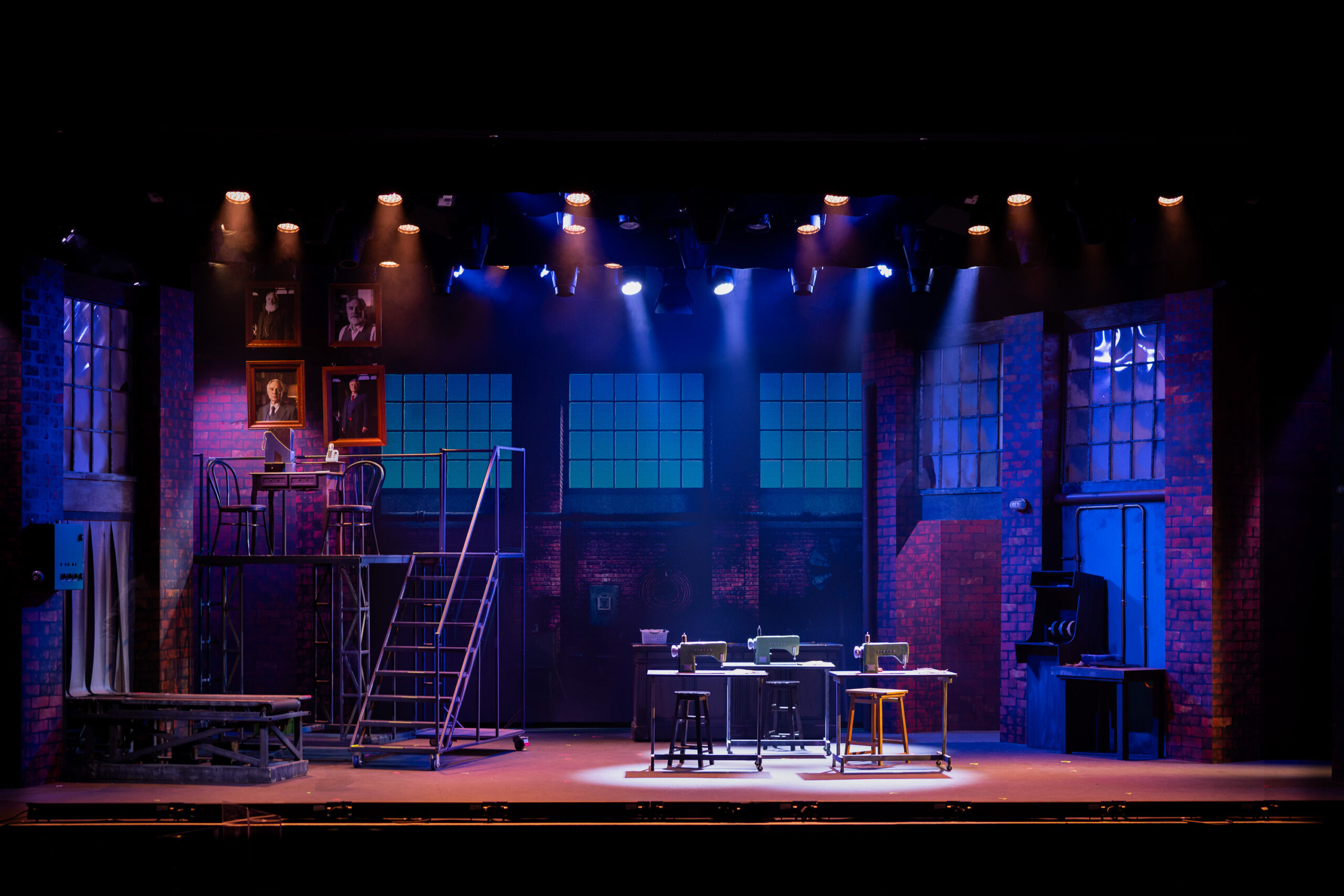
Even within a small set of images, variety of scale and mood matters. A reviewer choosing between five near-identical mid-shots has no real choice at all – give them choices! Here are a few examples from Swich Up Productions’ Kinky Boots (2026):
Spectacle and energy
Movement, colour, choreography, or humour. Shows the range of the production, and can give reviewers something to quote visually.
Strong character close-ups
One performer, emotionally present. Portrait orientations are good, and sometimes these will be cropped to squares for social media and web thumbnails.
Dramatic moments
Two or three performers in a scene that suggests story tension. These are often favoured; they create curiosity and interest.
Wide establishing shots
Show the full stage, the set, and the scale of the production.
Choose images where the story is clear even without a caption. If you need to explain what is happening in the photo, it is probably not the right one. The best production shot makes a viewer want to be in the room.
Rights reminder: Only include images in your media kit if you have confirmed rights to distribute them for editorial use. Check your agreement with your photographer before distributing their work.
Image sizes
Provide images as JPEG files. Don’t be tempted to apply heavy compression or dramatically reduce the file size before distributing them!
Media outlets may specify an image size. Pixel dimensions are the best guidance. Bigger files give editors more options.
Practical size guidance
- Web and social use: 1920px on the long edge is comfortable for most purposes. (When you’re downloading from one of my galleries, this is the “medium” size.)
- Print use: 3000px or larger on the long edge gives real flexibility.
What if the media outlet specifies DPI? “300 dpi” is a specification that only means something when paired with a physical print size. A 3000px wide image is 300dpi when printed at 10 inches wide, and 150dpi when printed at 20 inches wide. If you’re asked to provide images with a specific DPI but no specific physical size or pixel resolution, it’s worth going back to ask for clarification.
The information document
You can make things way easier for media partners by including a plain text or PDF document containing everything a journalist needs without having to email you. Name it something obvious like mediainfo.pdf and put it at the top level of your folder. (Not every media partner is going to use Microsoft Word; a text file or a PDF is a little safer.)
What to include
- Production name (and subtitle if there is one)
- Company name, exactly as you want it to appear in print
- Venue, suburb or city
- Season dates, session times
- Ticket prices and booking link
- Director, choreographer, musical director, etc (as applicable)
- Designer credits: Set, costume, lighting, sound
- Full cast list with character names
- A short production description; two or three sentences is great
- A longer background paragraph for feature pieces
- Your media contact name, email, and phone number
- Photographer credit, exactly as it should appear in print
When you’re crediting lighting, sound, photographer etc, take care to specify it the way your creative partner wants to be specified. This could be their full name, a business name, a website, or a social handle.
Naming your files

File naming is the single most important thing you can do to make sure everyone gets properly credited.
For most reviewers and smaller media outfits, the filename helps to create the caption. Metadata on the image can be stripped or ignored, documents can get separated from folders, and you don’t want to make a journalist working to a difficult deadline have to dig through your info document. The name of the file travels cleanly with the file and survives all of that!
Your photographer (including me) will name their files a certain way when they’re delivered. Often they will be filenames like DSC_0342.jpg. My files tend to follow the format with my job number, the date, the camera number (since I often work with multiple cameras) and the image number. If I’m working with multiple cameras, I’ll start with a timestamp so they sort into the show order. For example., when I delivered this image of Caroline Sparrow in Vox Productions’ Anthropology (2026) on the right, the filename was 193131-T2609_260421_A1155.jpg.
There’s a little work for you to do here once you’ve selected your media kit images. (Why not get your photographer to do this for you? They probably don’t know all of the cast members’ names, and they definitely don’t know the priority of images you want to submit.)
When you prepare your media kit images, use a format that makes it exceptionally easy for the journalist or editor to construct the right caption with the right names and credits. A format like this is a great one to adopt:
[Priority]–[Production]–[Company]–[Actor(Character)]–PhotoCredit.jpg
For example:
01-Anthropology-VoxProductions-CarolineSparrow(Merrill)-PhotoKrisAnderson.jpg
Remember:
- Lead with a priority number so reviewers know which image you most want used.
- Always include the production name, so the file is identifiable even if separated from the folder
- Include performer + character names, so the filename can quickly be converted to a caption.
- Always include the photographer’s name (or desired credit line)
- No spaces in filenames. Use hyphens in between words, and be consistent
- Avoid special characters like apostrophes, ampersands and quotes
Distributing your media kit
The best option for sending a media kit is a Google Drive or Dropbox folder with a shareable download link. This gives you an easy way to send the kit as one simple link, and you have control over the contents if you have to make changes later.
Another good option is WeTransfer, which works as a one-off way of sending files.
You could provide a dedicated press page on your website, with a password if needed.
Alternatively you can zip up your media kit and email it, but that can sometimes cause problems if it’s a large file.
What about embargoes?
If you are distributing images before opening night and you don’t want them published early, say so clearly in your email and in the mediainfo.pdf document. State the embargo date and time. Most reviewers will honour this, but it is your responsibility to communicate it explicitly.
Now you've got a media kit!
A well-prepared media kit takes a couple of hours to assemble, and it serves every production you deliver. The conventions here don’t change much from show to show. Build a template, establish a process, and it becomes quick!
